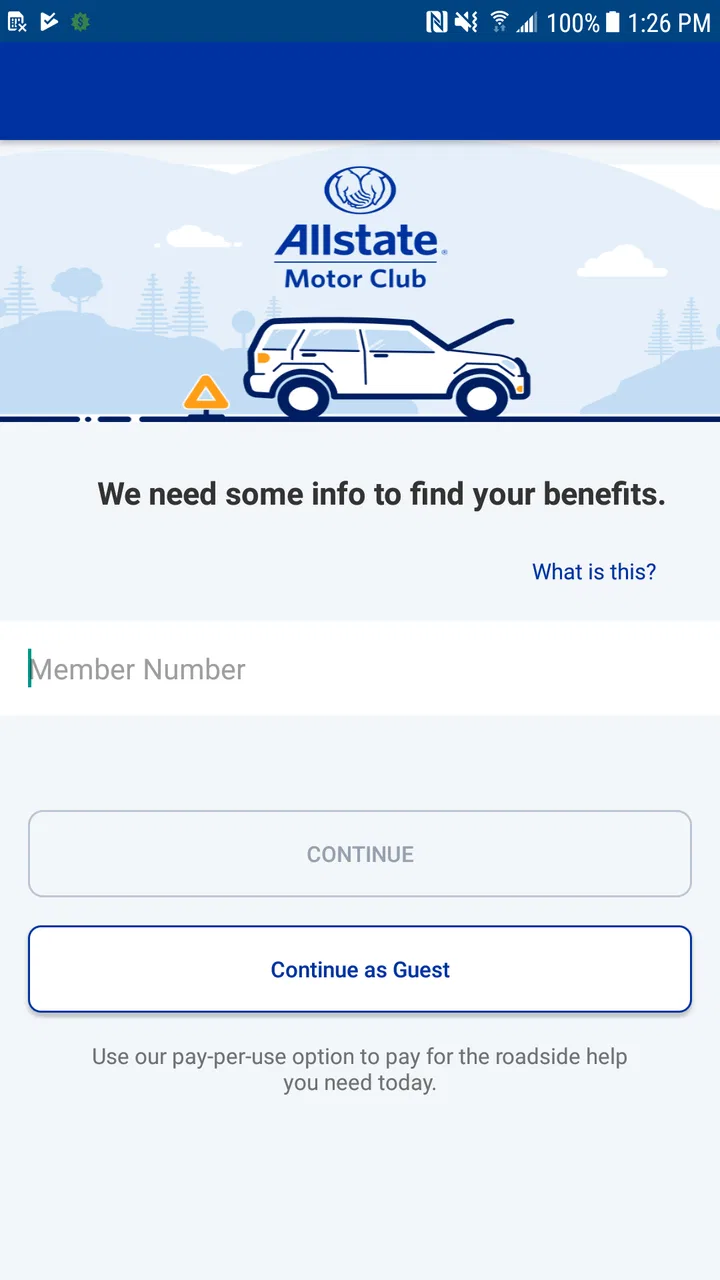
Allstate Motor Club
- 3.4
- Rating
- 100.00K
- Installs
- Free
- Price

 Analysis by App-foxy
When a car problem interrupts an ordinary day, the hardest part is often not the repair itself but knowing what to do next. Allstate Motor Club is built around that stressful moment, giving drivers a mobile way to connect with roadside assistance and manage their motor club experience. I tested it as an Auto & Vehicles app, and my impression is that it works best as a practical backup for people who want help close at hand rather than searching for a phone number while standing beside a disabled vehicle.
The app is free to install and is developed by Allstate Enterprises, LLC. It is available for Everyone, which makes it suitable for a household device, although that age label should not be confused with independent roadside decision-making for children. A young person may be able to open the app, but an adult should normally remain responsible for membership details, vehicle information, and deciding when assistance is appropriate.
How it fits into a shared household routine
The most useful way to think about this app is as a shared safety tool, not as entertainment or a general car-maintenance dashboard. In a household with several drivers, one person may hold the membership while another person is the one commuting, collecting children, or using the family vehicle that day. Keeping the app available on the driver’s phone can reduce the scramble that follows a flat tire, dead battery, lockout, or similar roadside problem.
You May Also Like

 Google Keep - Notes and lists
Google Keep’s Quiet Growth Shows the Appeal of Simpler Notes
As mobile work gets busier, Google Keep keeps winning a simple contest: capture a thought quickly, find it later, and get on with the day.

 Blood Strike: 2.5 Anniversary
Blood Strike’s Loadouts Turn Every Drop Into a Tactical Gamble
A close look at Blood Strike’s custom loadouts: how fast access to signature weapons reshapes its battle royale rhythm, rewards preparation, and narrows the gap between fights.

 Pandora - Music & Podcasts
Pandora’s Music Is Easy to Start, but Harder to Recover
Pandora’s strength is its low-effort path from a seed to a station. Its weak spot is how much confidence it asks you to place in connection, setup, and quiet recovery.

 8 Ball Pool
 Is Built on Rivalries, Rematches, and Routine
A close look at the rivalries, rematches, shared routines, and unanswered safety questions that turn a quick pool match into a persistent mobile community.

 Samsung Music
’s Quiet Strength Is Playing What You Already Own
Its reach comes less from spectacle than from dependable access to a personal library. That simplicity is both the app’s strongest retention engine and its ceiling.

 AccuWeather: Weather Radar
AccuWeather Review: A Quick, Clear Forecast for Everyday Decisions
For everyday plans, the best forecast is the one you can understand quickly. AccuWeather makes rain timing, radar, and local conditions easy to act on, with a few trade-offs.
More From Our News Desk



That shared-device scenario also exposes an important boundary. The app can support coordination, but it does not replace a clear household plan. Before anyone depends on it, I would make sure each regular driver knows who owns the membership, which phone is signed in, and where to find the relevant assistance option. If the app is installed only on one person’s phone, that person may become an unnecessary bottleneck when another family member needs help.
I found this especially relevant for households that lend a car to teenagers, visiting relatives, or a partner who does not usually handle vehicle administration. The driver does not necessarily need to understand every membership detail, but they should know how to reach the account holder and how to describe their location safely. A roadside app is most valuable when the human process around it has already been discussed.
For a realistic example, imagine leaving work after dark and discovering that the car will not start in a parking area. Instead of opening a browser, guessing which Allstate contact page applies, and searching through old messages, the driver can open the motor club app and begin from the account already associated with the service. That does not make the mechanical problem disappear, but it can make the first few minutes more organized. I would still move to a well-lit place when possible and avoid using the phone while standing in an unsafe traffic position.
What I would do before handing the phone to another driver
My first step would be to install the app while the car is working normally, not during an emergency. I would sign in, look through the available roadside area, and confirm that the account is usable. This is also the right time to check whether the household understands the membership arrangement. The person driving the car should not discover during a breakdown that the account belongs to someone else or that they do not know the sign-in details.
I would avoid casually sharing passwords across a family group. A better approach is to decide which adult manages the account and which drivers are trusted to use the device or contact that adult. This keeps account ownership clearer and limits confusion if a phone is replaced, lost, or passed to another household member. The app can be present on a shared tablet or spare phone, but that only helps if the device is charged, connected, and physically available when needed.
There is also a privacy consideration in shared use. A roadside request can involve a vehicle location and personal contact information. I would not leave an account permanently open on a device that guests, children, or unrelated users can freely browse. If several people use one phone, signing out when appropriate may be more sensible, even though it adds a small amount of friction during the next emergency.
That trade-off is worth accepting. Convenience matters, but an account connected to roadside assistance should be treated more like a service account than a casual utility. The free download makes it easy to keep available, yet the real value comes from preparing the access path in advance.
Coordinating help without creating confusion
One strength of a dedicated motor club app is that it gives the household a single starting point. A driver does not have to remember whether the correct route is a general customer-service number, an insurance contact, or a separate roadside provider. In my experience, that distinction matters when a person is tired, cold, late, or worried about passengers.
Still, I would not have two family members submit separate requests for the same incident. That can create duplicate communication and make it harder to understand which request is active. The person at the vehicle should ideally be the one who initiates the request, while another household member can stay available by phone to help with account questions or relay updates. One request, one primary contact, and one clear description of the vehicle’s location is a much cleaner workflow.
Before requesting help, I would gather the details the driver can safely provide: the exact place, the direction of travel if near a road, the vehicle’s make and color, and the visible problem. If the phone’s location is unclear, a nearby business, parking-lot marker, or road sign may be more useful than a vague address. The app can be the channel for starting assistance, but accurate information still depends on the person using it.
This is one of the less obvious limitations of relying on software for roadside needs. A polished interface cannot compensate for poor reception, a nearly empty battery, or a driver who cannot safely inspect the car. I would keep a charging cable in the vehicle and teach household drivers not to spend time troubleshooting the app beside moving traffic. If the situation is dangerous, emergency services should take priority over navigating a membership application.
Compared with calling a traditional roadside number, the app may feel more convenient because it keeps the service connected to the user’s mobile account. Calling can still be better when the driver has weak data service, cannot log in, or needs to explain an unusual situation in real time. I see the app and the phone as complementary options rather than competitors where one should always replace the other.
Account boundaries matter more than the age label
The Everyone content rating makes the application approachable for a broad audience, but I would be careful about giving a child full responsibility for it. A young passenger might help locate the app or read information from the screen, yet roadside assistance involves judgment about safety, location, and the vehicle. Those decisions belong with a capable adult whenever possible.
For a teenager who drives alone, the useful preparation is practical rather than technical. I would show them where the app is, explain which adult owns the membership, and rehearse what to say if the car stops. They should know not to accept help from strangers simply because someone approaches, and they should understand that a roadside request may require accurate location information. The application can support that plan, but it cannot serve as a substitute for it.
Shared accounts also raise questions about trust. If several adults use the same membership, everyone should agree on who is allowed to request service and who should receive updates. I would avoid assuming that installing the app on every family phone automatically creates a shared account or shared visibility. The safest household arrangement is the one everyone understands, not the one with the most devices signed in.
This is where Allstate Motor Club differs from many navigation or vehicle-tracking tools. Its purpose is not to coordinate a family’s daily movements, monitor a young driver, or provide a complete record of every trip. I would choose a navigation app for directions, a vehicle-maintenance app for service reminders, and a family communication tool for check-ins. This app has a narrower job, and it is more useful when that job is kept clear.
What the current app experience suggests
The application has reached over one hundred thousand installs and holds a 3.4 average from roughly eight hundred ratings, with around five hundred written reviews. Those figures suggest a real user base but also a mixed experience. I would not install it expecting the same polish or universal approval as a mature navigation platform. Its value is situational: most of the time it may sit unused, but during a breakdown that ready access can matter.
The current version is 21.1.0, and it supports devices running Android 6.0 or later. That makes compatibility fairly broad for older Android phones, although household users should still keep the operating system and application updated where possible. A spare phone that technically meets the minimum requirement may not be a dependable emergency device if its battery, network connection, or account access has been neglected.
I also appreciate that the app is free rather than requiring a separate purchase simply to keep it installed. However, free access to the application should not be interpreted as unlimited roadside coverage for every situation. The app is the digital doorway to the motor club service; the relevant membership terms and eligibility still govern what assistance a driver can receive. I would review those terms before relying on it for a long trip.
The interface is most valuable when it reduces decisions. In an emergency, I do not want a household member comparing several similar contact routes or wondering whether they opened the right Allstate service. The app’s focused purpose helps with that. On the other hand, users who want fuel prices, repair booking, maintenance history, trip planning, or detailed vehicle diagnostics will likely find it too limited and should choose a broader automotive application.
Small preparation steps that make a big difference
My first practical tip is to create a household roadside card, either on paper in the glove compartment or in a shared note. It can include the account holder’s name, the app location on the phone, the vehicle description, and the preferred adult contact. I would not write down a password in an exposed note, but I would make sure the responsible adult can be reached without guesswork.
My second tip is to test the workflow without submitting a needless service request. Open the app from the vehicle, confirm that the account is accessible, and check that the driver understands where assistance begins. This rehearsal reveals problems such as an old phone number, an expired sign-in session, or a family member who cannot find the application quickly. Discovering those issues in a driveway is far better than discovering them on a shoulder.
My third tip is to separate app failure from roadside failure. If the app will not open, the phone has no signal, or the account cannot be accessed, the household should move to the next safe contact method rather than repeatedly tapping the same screen. Save the relevant official contact information through a trusted source and keep a charged phone available. The strongest plan has a digital route and a fallback route.
A fourth useful habit is to decide who communicates during a shared incident. If the driver is anxious or has passengers, another adult can remain on the line, read instructions, or notify someone waiting at home. This reduces distracted phone use and prevents several family members from giving conflicting information. The app starts the process, while the household’s communication plan keeps it orderly.
Who should install it, and who may prefer something else?
I would recommend Allstate Motor Club to drivers who already use the motor club service and want a convenient mobile access point. It makes particular sense for households with multiple drivers, older relatives who may need a simple prepared route to assistance, or people who frequently lend a vehicle to someone they trust. The app’s narrow focus is a benefit when roadside help is the main requirement.
I would be less enthusiastic for someone who does not use the associated motor club service or who expects a full vehicle-management suite. Installing a roadside app alone does not provide navigation, maintenance scheduling, insurance management, or family location sharing. A driver who rarely carries a phone, travels through areas with unreliable connectivity, or prefers speaking to an agent may be better served by keeping a traditional contact method ready as well.
It is also not the right tool for supervising young drivers. The Everyone rating may make it easy to place on a family device, but there is no reason to treat it as a parental-control product or a monitoring system. For age-related household use, I would focus on adult oversight, clear instructions, and safe roadside behavior rather than assuming the app can manage those responsibilities.
Compared with a generic search engine, the app offers a more direct path when the user already belongs to the motor club. Compared with a general automotive app, it gives up breadth in exchange for a focused roadside purpose. Compared with a phone call, it can be more convenient when the account is ready, but less useful when the phone, connection, or sign-in creates a barrier. That balance is the key to judging it fairly.
My household verdict
After using it with a shared-household mindset, I see Allstate Motor Club as a sensible preparedness app rather than something people open every week. Its best quality is reducing uncertainty at the exact moment a driver needs a clear starting point. The free installation, broad age rating, and support for older Android versions make it easy to keep available, while its focused purpose prevents it from becoming cluttered with unrelated vehicle features.
The limitations are just as important. It should not be the household’s only emergency plan, and it should not be handed to children as though the software can make roadside decisions for them. Account ownership, device access, network availability, and accurate location details still require human preparation. Families should also understand that the app’s usefulness depends on the motor club relationship behind it, not merely on downloading the application.
My recommendation is straightforward: if your household uses Allstate Motor Club, install the app before you need it, check access on the phones that regular drivers actually carry, and agree on one communication plan. Keep a fallback contact method and a charger in the car. The app is most valuable when it is part of a prepared household routine, not when it is treated as the entire routine.
FAQs for Allstate Motor Club
01What is Allstate Motor Club, and what services does it provide?
Allstate Motor Club is a roadside assistance service that can help when you experience common vehicle problems. Depending on your membership plan and location, services may include towing, jump-starts, flat-tire assistance, fuel delivery, lockout assistance, and winching. The app is primarily designed to request help, manage membership details, review available benefits, and track assistance rather than replace a full vehicle maintenance or insurance app.
02Can I request roadside assistance directly through the Allstate Motor Club app?
Yes, the app is intended to make requesting roadside assistance more convenient. After signing in, you can generally provide your location, select the type of problem, and submit a service request. You should carefully check the vehicle information and pickup location before confirming. In areas with weak mobile coverage, the request process may take longer, so keeping the membership phone number available is a sensible backup.
03Do I need an Allstate Motor Club membership to use the app?
Most of the app’s membership features and roadside assistance benefits require an active Allstate Motor Club membership or an eligible plan connected to your account. The application may allow you to view information or begin the sign-in process without membership, but downloading it does not automatically provide free roadside service. Before relying on the app during an emergency, confirm that your plan is active and understand its service limits, fees, and coverage area.
04Is Allstate Motor Club roadside assistance available everywhere?
Coverage depends on your membership terms, geographic location, service provider availability, and the type of assistance requested. Allstate Motor Club generally uses a network of roadside providers, but response times can vary considerably between cities, rural areas, highways, and periods of severe weather. Your plan may also limit the number of service calls, towing distance, or certain benefits, so reviewing the membership agreement before traveling is recommended.
05What information should I have ready before requesting help?
For a smoother request, prepare your membership login or account details, exact vehicle location, vehicle make and model, license plate information, and a clear description of the problem. If you are stopped on a busy road, move to a safe place when possible and provide nearby landmarks or highway markers. The app may request permission to use location services, and enabling accurate location can help the provider find you more quickly.
Pros
- 24/7 roadside assistance is available for breakdowns
- flat tires
- and lockouts.
- Members can request help through the app with location-based service tracking.
- Coverage may extend to you in many vehicles
- depending on your membership plan.
- Digital membership details make it easy to access roadside assistance information.
- Useful trip-planning and safety features can add value for frequent drivers.
Cons
- Service limits
- towing distances
- and fees vary by membership level and location.
- The app is less useful if roadside assistance is not included in your plan.
- Response times may increase during severe weather or periods of high demand.
- Some features may require location access and other device permissions.
- Availability and pricing can differ significantly between states and regions.

Allstate Motor Club
Gallery